SENIOR PORTRAITS · YEARBOOK GUIDE
Yearbook Senior Pictures: Sizes, Crops & Massachusetts Deadlines
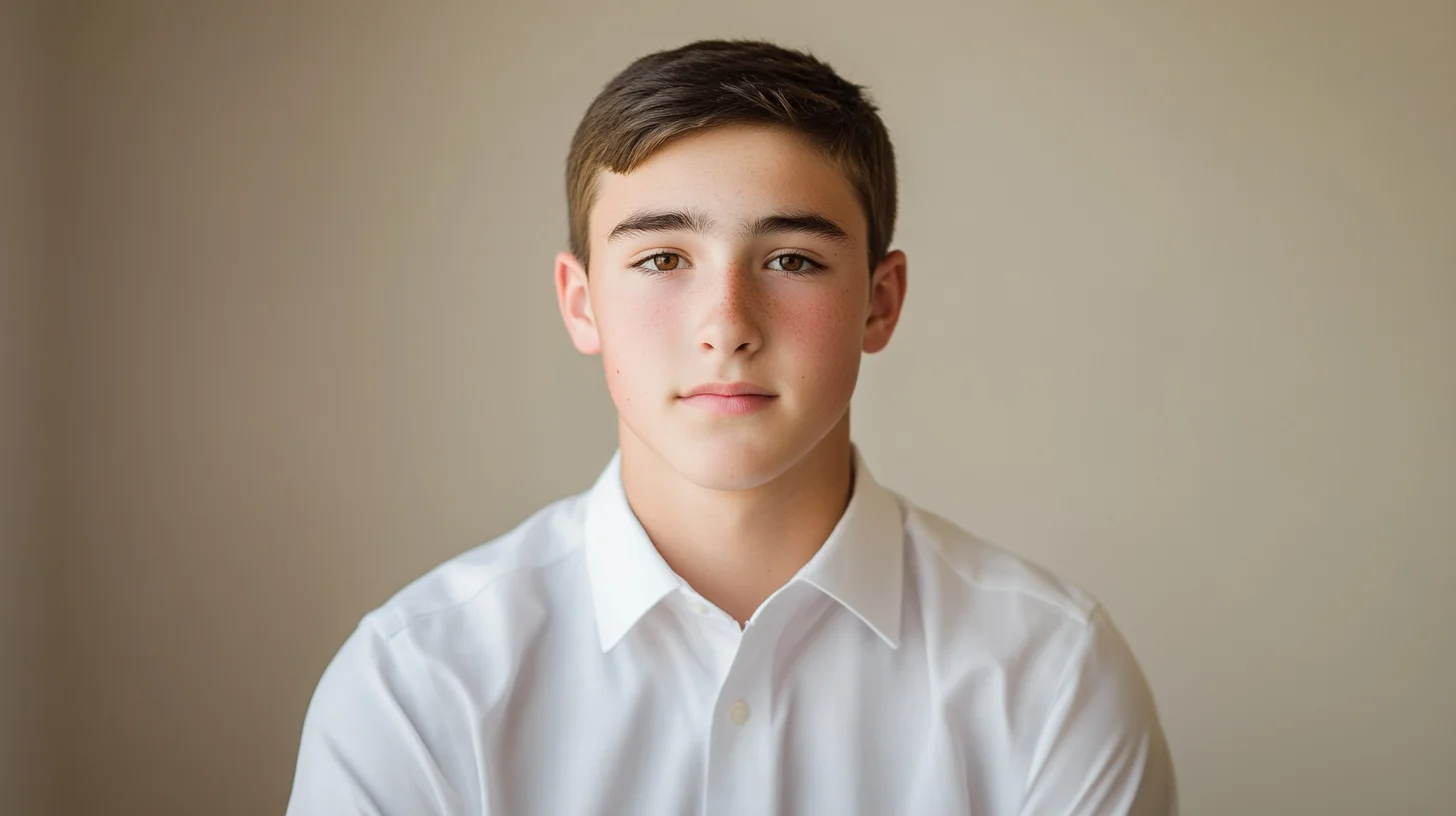
Yearbook senior pictures have specific technical requirements that differ from any other portrait you'll ever have taken. Most South Shore schools want a vertical head-and-shoulders crop — typically a 5x7 or 8x10 print ratio — delivered as a high-resolution JPEG at 300 dpi. Submission deadlines cluster between September and December of the senior year, with schools in Hingham, Scituate, Norwell, and Duxbury often on the earlier end of that window. Getting this right the first time requires knowing the specs before your session, not after.
Most families book a senior portrait session thinking about the outdoor lifestyle images — the natural light, the on-location sense of place, the personality shots that capture who their senior actually is at eighteen. Those images are important. But there is a parallel track running underneath every senior portrait session that gets less attention: the yearbook submission. The yearbook portrait is a technical product with specific format requirements, and it needs to be planned for deliberately rather than retrofitted from the rest of the gallery. This guide explains what those requirements are, when South Shore schools typically expect them, and how to make sure your session produces a yearbook-ready file alongside the images you actually want to hang on the wall.
Ready to get your senior portraits done right — yearbook crop included? Reach out to book a senior session and mention your school's submission deadline so we can plan around it.
Standard Yearbook Senior Portrait Specifications
Technical yearbook requirements vary slightly by school and by the printing vendor the school uses, but the core specifications are consistent enough that you can plan around a standard set. Here is what most South Shore high school yearbooks require:
Orientation: Vertical. Yearbook portrait grids are built around vertical crops. A horizontal or square image will either be rejected outright or cropped aggressively by the yearbook staff, often in ways that cut off the top of the subject's head.
Aspect ratio: 4:5 or 5:7 — these are the two ratios that map to standard 8x10 and 5x7 print formats. Most yearbook portals accept either. Some schools specify one or the other; confirm with your yearbook adviser.
Framing: Head-and-shoulders. The subject's eyes should land in the upper third of the frame, with visible shoulder room below. Too tight (cropped at the chin or neck) reads uncomfortably in print. Too loose (waist-length or full-body) shrinks the face to the point where it becomes illegible at yearbook column width.
Resolution: 300 dpi minimum, delivered as a JPEG. Some schools specify a minimum pixel dimension — typically 1500 x 1875 pixels for a 5x7 at 300 dpi, or 2400 x 3000 pixels for an 8x10. Files exported from a phone at “high quality” may meet this threshold numerically but often lack the actual image quality needed for clean print reproduction.
Color mode: RGB JPEG. Do not submit CMYK TIFFs unless the school explicitly asks for them. Most yearbook submission portals expect RGB JPEGs and will display CMYK files incorrectly or reject them.
Color vs. black and white: Most South Shore schools print senior portraits in color but accept grayscale submissions. A few request color specifically. When in doubt, submit color; the yearbook staff can convert to grayscale on their end if needed.
No watermarks. A file with the photographer's watermark embedded will be rejected. Any professional photographer who delivers yearbook files should provide a clean, watermark-free crop specifically for submission.
South Shore High School Yearbook Deadlines
Yearbook submission windows across the South Shore generally run September through December of the senior year, but the distribution is not even. Schools that use national yearbook companies with earlier print schedules — Jostens and Lifetouch both work with South Shore schools — tend to have earlier portrait submission deadlines than schools using smaller local vendors.
October deadlines are common at Hingham High, Norwell High, and Scituate High. Families at these schools who wait until fall to book a session are cutting it close. Account for a two-week editing turnaround after your session date, and you need the session itself completed by late September at the latest.
November deadlines are more typical for Duxbury High and Marshfield High, giving families a slightly longer runway. Still, a session in October for a November submission gives very little margin.
December deadlines show up occasionally at Plymouth schools and some Pembroke and Hanover programs, but these are the exception rather than the rule. Do not assume a December deadline without confirming.
These patterns shift year to year and vary by yearbook adviser and vendor. The only reliable source for your school's current deadline is the yearbook adviser directly. Check with them at the end of junior year — not the beginning of senior year — so you have time to plan your session timeline properly. See the full senior portrait services page for session options and booking windows.
What Photographers Wish Parents Knew About Yearbook Submission
After photographing seniors across Hingham, Scituate, Norwell, Duxbury, Marshfield, Rockland, Pembroke, and the wider South Shore for over a decade, a few yearbook submission issues come up repeatedly.
The Color Profile Problem
Most yearbook portals expect sRGB JPEGs. A photo edited in Adobe RGB or ProPhoto RGB and exported without converting to sRGB will look washed out or color-shifted when the yearbook portal renders the preview. This is a surprisingly common reason for yearbook photos to look “off” in print — the file was technically high resolution and correctly sized, but the color profile was wrong. Any photographer delivering yearbook files should be exporting in sRGB explicitly.
The Upload Portal Surprises
Many school yearbook portals automatically crop and resize uploaded photos to fit a grid. What looks correctly framed in your file viewer may arrive cropped at the neck in the yearbook if the portal applies its own crop. The safest approach: upload, review the portal's preview carefully, and request a re-crop from your photographer if the portal has trimmed something important. A good photographer will include a note with your yearbook file about which edge to protect.
Deadline Extensions Are Not Guaranteed
Yearbook advisers occasionally grant short extensions, but they are not obligated to and frequently cannot because the print vendor has its own hard deadline. A family that misses the submission window may find their senior's spot filled with a placeholder image or a candid pulled from school files. The stakes are real.
How a Full Senior Portrait Session Produces Yearbook-Ready Files
At South Shore Photography, every senior portrait session includes a dedicated yearbook crop as a standard deliverable — not an add-on, not something you have to ask for separately. Here is how that works in practice.
The session itself is an on-location outdoor senior portrait session — natural light, real South Shore locations, lifestyle framing that captures who your senior actually is. We shoot across multiple looks and locations to produce a complete gallery. Within that session, we also capture at least one dedicated “yearbook look” — typically a classic, clean outfit against a simple background or soft natural setting — framed specifically for a head-and-shoulders yearbook crop.
When the gallery is delivered, the yearbook file is included as a separately labeled JPEG — already cropped to the correct aspect ratio, exported at 300 dpi in sRGB, with no watermark, ready to upload directly to the school's submission portal. You should not need to resize, reformat, or re-export anything.
If your school has an unusual specification — a specific pixel dimension, a particular crop tightness, a background color requirement — tell us before the session and we will accommodate it. It is far easier to plan for at the time of shooting than to reconstruct afterward.
By Chris McCarthy — South Shore Photography, Rockland MA, photographing seniors across 20+ South Shore towns since 2014. Every session includes a yearbook-ready crop delivered to spec.
Booking for fall yearbook deadlines fills up quickly in spring. Book a senior session now to lock in your date before the April-June window closes.
Yearbook vs Casual Senior Portraits — Different Outfits, Different Crops
The yearbook portrait and the casual senior portrait serve entirely different audiences and should be planned accordingly.
The yearbook look is formal and classic — a clean outfit (a simple dress, a button-down, a blazer) against a backdrop that will not compete visually with the face at small print size. The expression is composed but genuine. The goal is a timeless image that reads clearly at the size it will appear in the printed yearbook grid. Busy patterns, graphic tees, and bold accessories all become visual noise at that scale.
The casual or lifestyle looks are everything else: the outfit that reflects your senior's actual personality, the on-location shots at a meaningful South Shore spot — Scituate Harbor, World's End, Duxbury Beach, downtown Hingham — the candid moments, the activity-based frames. These are the images that go on living room walls, into parent albums, and get shared with extended family. They should feel like a natural extension of who your senior is, not a formal obligation.
Most families want at least two distinct looks in a session: one deliberate yearbook look, and one or two casual personality looks. The outdoor, natural-light, on-location approach that South Shore Photography uses means the casual looks genuinely reflect the South Shore — there is a sense of place in these images that studio portraits cannot replicate. Read more about the full approach in our complete guide to senior portraits on the South Shore.
When to Book Your Senior Portrait Session for Yearbook Timing
Working backward from a typical October or November yearbook submission deadline:
October deadline: Your session needs to happen no later than mid-September to allow two weeks for editing and delivery. Realistically, if you want the full range of outdoor locations and lighting conditions the South Shore offers in summer, you should be booking for June or July. Summer sessions also produce the most variety — longer golden-hour windows, more location options, better weather predictability than fall.
November deadline: A September or early October session works, but you are still cutting it tighter than you need to. An August session gives you the flexibility to reschedule once for weather without endangering the yearbook window.
The April-July booking window is when most South Shore families who are on top of senior portrait timing book their sessions. These dates go quickly — not because the session dates themselves fill up, but because clients who book early get first pick of peak golden-hour evenings in June and July. Families who wait until August find the best evenings already claimed.
For a deeper look at how to plan the full senior portrait timeline, see the senior portrait session planning timeline guide.
Common Yearbook Photo Mistakes
Most yearbook photo problems are avoidable at the session planning stage. Here are the ones that show up most often.
Busy Patterns That Scan as Moiré
Fine stripes, herringbone weaves, and small geometric prints can produce a moiré interference pattern in print — a wavy or shimmering optical illusion that has nothing to do with the original fabric but appears consistently in printing processes. Solid colors and large-scale patterns avoid this entirely. This is not a hypothetical risk; it shows up regularly in yearbooks when a student wears a finely checked shirt or a tight-knit sweater.
Neon and Oversaturated Colors
Neon and highly saturated colors (bright orange, electric blue, hot pink) bleed in print and can shift unpredictably in the CMYK conversion the printing press uses. A color that looks vivid and clean on a monitor can print as a muddied or bleeding smear. Stick to mid-saturation tones for the yearbook look specifically.
Off-Center Framing and Portrait Orientation Errors
Submitting a landscape-oriented photo, a square crop, or a dramatically off-center frame creates problems for the yearbook grid. The yearbook staff will either reject it or apply a crop that may cut off part of the subject's face. Always confirm the orientation requirement and submit exactly what the school specifies.
Low Resolution from Phone Exports
Exporting a photo from a phone's camera roll at “compressed” or “optimized” quality, sharing it through a messaging app that degrades resolution, or screenshotting a social media post and submitting that file are all common ways to deliver a technically insufficient file. Even if the pixel dimensions look adequate, heavy JPEG compression artifacts will be visible in print at yearbook size. Always export from the original, uncompressed file.
Best Time of Year to Schedule Senior Portraits for Yearbook Deadlines
The short answer: spring of junior year through summer before senior year. Here is how that breaks down month by month for South Shore families.
April and May are ideal for booking — not necessarily for shooting, but for securing your preferred dates. Outdoor senior portrait sessions in late spring offer blooming landscapes and mild temperatures, which work beautifully for on-location natural light photography at South Shore locations like Hingham senior portraits at World's End or along Scituate Harbor.
June and July are the peak months for senior portrait sessions on the South Shore. Golden hour runs late — after 7:30 PM — which means sessions do not compete with the workday. Beach locations are accessible and photogenic, parks are fully green, and the long-daylight evenings give the most flexibility for rescheduling around weather.
August is the last reliable month for families targeting October yearbook deadlines. Sessions in August need to account for a two-week editing window, which pushes delivery into mid-to-late September — tight but workable for most October deadlines.
September can work for November yearbook deadlines and is actually one of the most beautiful months for outdoor senior portraits on the South Shore — warm light, lower humidity than summer, the early signs of fall foliage. But September leaves almost no buffer for weather rescheduling if your deadline is in October.
October and beyond can produce beautiful portraits in the fall foliage window, but these dates are almost always too late for yearbook submission. They work well for families who have already submitted their yearbook photo and want a second session for the lifestyle gallery.
Frequently Asked Questions
What size should my senior portrait be for the yearbook?
Most South Shore high schools request a vertical portrait crop — typically a 5x7 or 8x10 aspect ratio — delivered as a JPEG at 300 dpi. The framing should be head-and-shoulders with the subject centered or slightly off-center in the upper third of the frame. Some schools specify a tighter crop (chin to just above the crown), others allow slightly more shoulder room. The safest approach is to provide both a tight head-and-shoulders crop and a looser bust-length version, then submit whichever the school portal accepts. Confirm the exact specifications with your school's yearbook adviser before the session so your photographer can deliver the correct file on the first pass.
When is the yearbook submission deadline for South Shore high schools?
Most South Shore high schools set yearbook portrait submission deadlines between September and November of the senior year. Schools on the earlier end — Hingham, Norwell, and Scituate have historically had October deadlines — want portraits submitted before the fall semester is fully underway. Marshfield and Duxbury have tended toward November windows. Plymouth and Pembroke can extend into December for some submission categories. These deadlines shift year to year and vary by school, so always confirm directly with your school's yearbook adviser in the spring of junior year. Working backward from a September or October deadline, you should be booking your senior portrait session no later than July — ideally April through June.
Can I submit a phone photo for my yearbook senior portrait?
Technically, modern smartphone cameras can produce files large enough to meet the minimum resolution for yearbook print. In practice, phone photos almost always look noticeably different from professional portraits in the printed yearbook — flat lighting, inconsistent exposure, and a selfie-style framing that reads poorly next to professional images. Many schools now explicitly prohibit self-submitted phone photos for the formal yearbook portrait and require a photo from a licensed photographer. Even at schools that technically allow it, the visual gap between a phone snap and a properly lit, professionally cropped senior portrait is obvious in print. The yearbook portrait is the one image that represents you for the rest of your life in that record — it is worth doing correctly.
What's the difference between yearbook senior portraits and casual senior portraits?
Yearbook senior portraits are formal, classic, and tightly cropped — typically a head-and-shoulders vertical frame with a clean background or soft natural setting, classic attire, and a straightforward expression. The goal is a clean, timeless image that reads well at small print sizes. Casual or lifestyle senior portraits are the rest of the session: loose personality looks, activity-based shots, outdoor locations that reflect who you are, candid expressions. These are the images that go on walls, into parent albums, and get shared with friends and family. A full senior portrait session should produce both — a dedicated yearbook crop delivered to specification, and a complete lifestyle gallery that captures the whole person.
PRO TIP
“Ask your yearbook adviser for the submission spec sheet in the spring of junior year — not the fall of senior year. That single conversation will tell you exactly what file your photographer needs to deliver, and you will have six months of runway to get the session done without any deadline pressure.”

ABOUT THE AUTHOR
Chris McCarthy is a portrait photographer based in Rockland, MA who has been photographing the South Shore full-time since opening his studio in 2014 — more than a decade of outdoor and lifestyle portrait work across the region. He specializes in headshots, senior portraits, branding, family, and maternity photography — shooting at his studio at 83 E Water Street and on-location throughout southeastern Massachusetts at places like World's End, Scituate Harbor, Duxbury Beach, and the North River conservation land in Norwell.
Book Your South Shore Senior Portrait Session
Every senior session includes a yearbook-ready crop delivered to your school's specifications — no extra charge, no extra steps. Tell us your school and your deadline and we'll plan around it.
More from the Blog
PACKAGES & PRICING
South Shore Senior Portrait Packages
Four all-inclusive tiers from $495 to $1,795 — every package includes a planning consult, a yearbook-ready crop, and full digital files.
PLANNING TIMELINE
Senior Portrait Session Planning Timeline
A month-by-month timeline for planning your senior portrait session around yearbook deadlines and the best South Shore lighting windows.