PHOTOGRAPHY EDUCATION · FILE FORMATS
RAW vs JPEG: Which File Format Should You Shoot In and Why It Matters
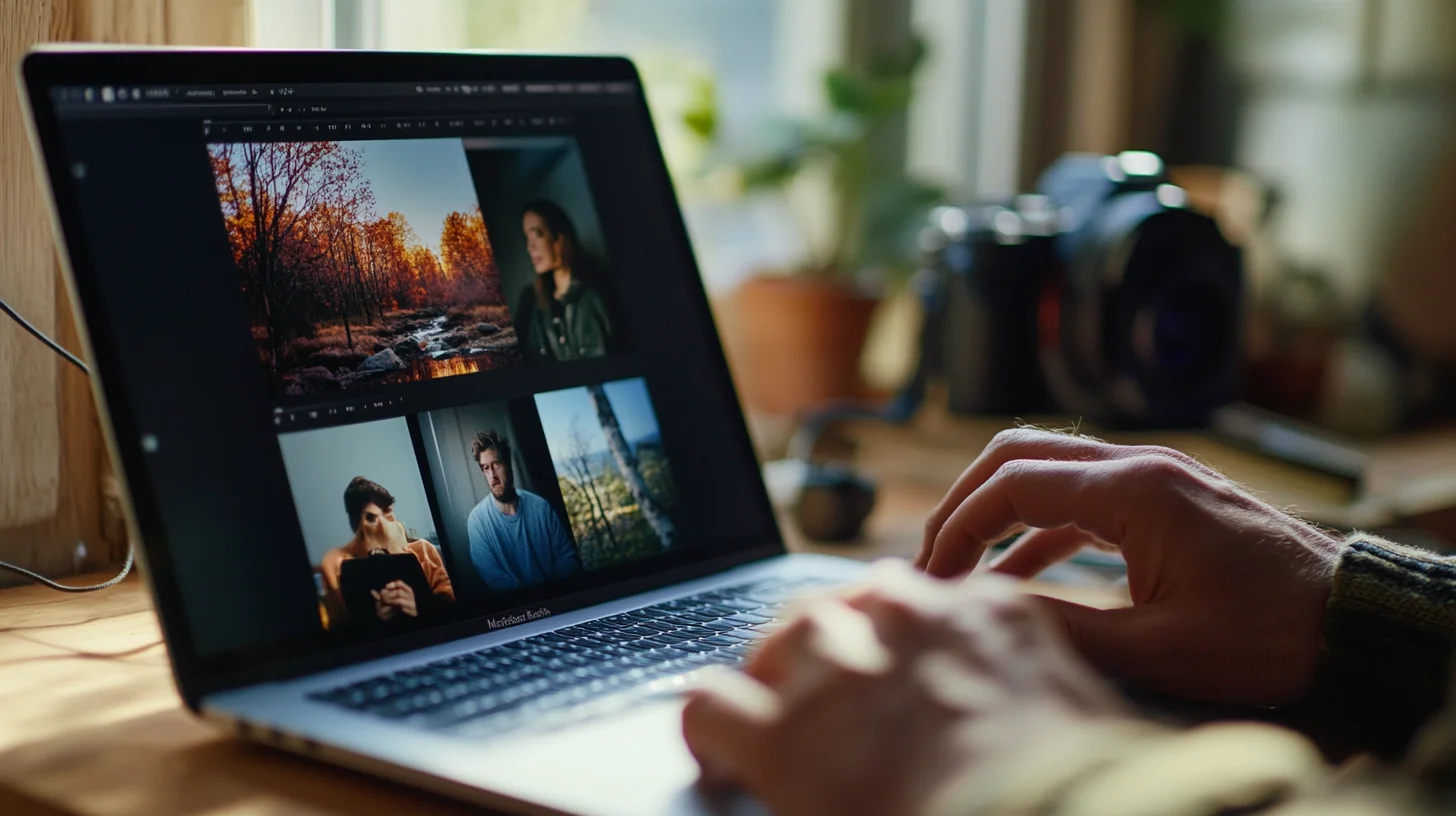
South Shore Photography, based in Rockland, MA, serves portrait clients across Hingham, Scituate, Norwell, Duxbury, Marshfield, Cohasset, Hanover, Weymouth, and Plymouth. Photographer Chris McCarthy shoots every session — from family portraits at World's End to senior sessions at Duxbury Beach — in RAW. Here is what he has learned about when that choice matters, when it doesn't, and what beginners most consistently get wrong.
The RAW vs JPEG question is one of the most common things beginner photographers argue about online, and it's almost always argued with the wrong framing. Most people assume RAW is the professional choice and JPEG is the amateur shortcut. That's not quite right. RAW is the more flexible choice. JPEG is the more practical choice for a lot of real-world situations. I've been shooting professionally on the South Shore for years, and I've had sessions where shooting RAW saved an image that would have been completely undeliverable as a JPEG — and I've also had behind-the-scenes work where JPEG was the obvious, correct choice. What I want to give you here is the honest working-photographer answer: what RAW actually gets you, when JPEG is perfectly fine, and how to make the decision for your own shooting without overthinking it.
What Most Beginners Get Wrong About RAW and JPEG
The most common mistake I see beginners make is treating this as a quality question — as if JPEG is inherently inferior and RAW is inherently superior. That's not what's actually happening. RAW is more flexible. JPEG is more practical. The right format depends entirely on what you're shooting and what you're going to do with the images afterward.
A well-exposed JPEG, processed by a camera with good in-body color science, can be an excellent finished image. A poorly exposed RAW file still requires real editing work to be usable. RAW doesn't make bad exposures disappear — it just gives you more room to work with when things go wrong. Understanding that distinction is the foundation of making a smart choice.
The second mistake is assuming the decision is permanent or universal. I shoot RAW for every client portrait session. I shoot JPEG for casual behind-the-scenes content I'm posting to Instagram the same day. Both choices are correct for their context. The format is a tool, not a status symbol.
The Core Difference: What RAW and JPEG Actually Are
When your camera captures a photo, the sensor collects raw light data — millions of individual photosites recording brightness values across the frame. What happens next depends on which format you're shooting.
JPEG is a processed, compressed, finished file. The camera's internal processor applies sharpening, noise reduction, contrast, saturation, and white balance — then compresses the result using lossy compression that discards data to reduce file size. What you get is a ready-to-use image. It looks good immediately, it's small, and it's compatible with everything. The tradeoff: all those decisions are baked in. You can't undo the sharpening. You can't recover the data that was compressed away.
RAW is the unprocessed sensor data — every bit of information the sensor captured, with nothing thrown away and no processing applied. It's not technically an image file in the way JPEG is; it's more like a negative waiting to be developed. It looks flat and slightly unsharp straight out of camera because none of the processing that makes images look finished has been applied. To use a RAW file, you need editing software — Lightroom, Capture One, Darktable — that reads the raw sensor data and lets you apply all those decisions yourself.
Think of it this way: JPEG is the cooked meal. RAW is every ingredient in the fridge, unassembled. You can't un-cook a JPEG, but you can cook a RAW file in an almost unlimited number of different ways. That flexibility is the entire point of shooting RAW — and it's only valuable if you're actually willing to do the cooking.
What RAW Gives You That JPEG Can't
There are five specific advantages that matter in real portrait shooting, not in theory but in actual sessions where something goes sideways.
Recovering blown-out highlights. When an area is overexposed in a JPEG — a bright sky, a white shirt in direct sun — that data is gone. The camera compressed it away. In a RAW file, as long as the sensor didn't physically clip (record pure white with no remaining data), the highlight information is still there waiting to be recovered. I had a maternity session at Norris Reservation in Norwell last fall — late afternoon, the sky behind the client went completely white at my metering. In RAW, I pulled the highlights back two full stops and recovered a soft blue-gray sky with texture. The JPEG version of that frame would have been undeliverable.
Lifting shadows without banding. The reverse problem: a client in shade while the background is bright. Pushing a JPEG's shadows aggressively introduces color banding, noise, and an ugly green or magenta cast in the darkened areas. RAW files hold together far better when you lift shadows — the 14-bit depth means there's genuinely more information to work with in the dark areas of the frame.
Adjusting white balance freely after the fact. In a JPEG, white balance is baked in. If you shot under mixed lighting — window light on one side, tungsten lamp on the other — you're stuck with whatever the camera chose. In RAW, white balance is just metadata — you can shift it anywhere in post without degrading the image. For portrait work in mixed or difficult light, this alone is worth shooting RAW.
Significantly more color data. RAW files are typically 12-bit or 14-bit, which means they can represent 4,096 or 16,384 distinct tonal values per channel. JPEG is 8-bit: 256 values per channel. In smooth gradients — skin tones, open skies, fabric — that additional data makes subtle transitions cleaner and prevents posterization when you push adjustments.
Lossless re-edits forever. When you edit a JPEG and re-save it, you lose quality every single time — the lossy compression compounds. When you edit a RAW file in Lightroom, the original sensor data is never touched. Your edits are stored as instructions in a sidecar file. You can re-edit that RAW ten years from now with a new version of Lightroom and start completely fresh. The master is always preserved.
When JPEG Is Genuinely the Right Choice
JPEG isn't obsolete and it isn't the amateur format. There are real, legitimate situations where JPEG is the correct professional choice.
High-volume shooting where storage and turnaround time dominate. Sports photographers, photojournalists, and wedding photographers shooting thousands of frames per day often shoot JPEG — not because they don't know better, but because editing 3,000 RAW files per event isn't viable. When the sheer volume of images is the primary challenge, JPEG's smaller files and faster write speeds matter more than per-image editing flexibility.
Same-day delivery situations. Travel photographers who need to file images to a publication same-day, or event photographers delivering a quick gallery before the client's flight home, can't afford a full RAW edit workflow. JPEG straight from camera — with in-body processing dialed in well — is the professional choice here.
Phone photography. iOS and some Android phones support RAW capture, but for 99% of shooting situations the computational photography pipeline processing a JPEG outperforms anything you'd get from manually editing a phone RAW file. The phone manufacturers have invested enormous resources into their JPEG processing algorithms. In most cases, phone RAW is more trouble than it's worth.
Any situation where you never edit your photos. This is the honest one. If you take photos and look at them on your phone and never open editing software — JPEG is completely fine. RAW files look flat and unsharp straight from camera because no processing has been applied. Without editing, RAW is literally a downgrade from JPEG. The flexibility only exists if you use it.
The Storage Reality: RAW Files Are Big
This is the practical constraint that surprises most beginners when they first switch to RAW. RAW files are typically 3 to 10 times larger than JPEGs. A 24-megapixel camera produces approximately 25MB RAW files versus approximately 5MB JPEGs. That sounds manageable until you do the math across a full session.
A typical portrait session produces 800 to 1,500 images. At 25MB per RAW file, that's 20 to 37 GB of RAW data per session. For a busy month with 12 sessions, you're looking at 250 to 450 GB of RAW files — before you add backup copies. Serious RAW shooters need local NAS storage, cloud backup (Backblaze B2, Amazon S3, or similar), and a solid culling workflow that trims the shoot down to selects before the full RAW archive gets backed up.
There's also the transfer and write-speed consideration. RAW files take longer to write to the card buffer during shooting — relevant for burst-mode work. And importing a large RAW shoot into Lightroom takes significantly longer than importing JPEGs. Build these time costs into your workflow expectations before committing to RAW across the board.
My recommendation: budget for a minimum of 2TB of local storage and a cloud backup solution before switching to RAW for regular shooting. Storage is cheap now — a 4TB external drive runs around $80. The cost of losing a session's worth of RAW files with no backup is not.
My Workflow: Why I Shoot RAW + JPEG
Most modern cameras let you write both RAW and JPEG simultaneously to the card — or split them across two card slots if your camera has dual slots. This is the workflow I use for every portrait session, and it gives me the best of both formats without meaningful compromise.
The JPEGs are my working preview. They load instantly in any viewer. I can send a quick preview image to a client the same day from the back of the camera. When I'm doing behind-the-scenes content for social media from a session at Scituate Harbor or Duxbury Beach, the JPEG is ready immediately — no processing required. They're also useful for quickly confirming exposure and color during the session without waiting for RAW previews to render.
The RAWs are the masters. Every final image I deliver to a client starts from the RAW file. If a highlight needs to be pulled back, if a shadow needs lifting, if the white balance drifted between a sunny patch and open shade on the Marshfield marsh — the RAW file gives me the flexibility to fix it cleanly. The JPEG of the same frame might be perfectly usable. The RAW just gives me a wider safety net.
The storage overhead of shooting both is real — roughly 30MB per frame instead of 25MB — but for the peace of mind and workflow flexibility, it's worth it. If I ever have a session where the camera's in-body JPEG processing nailed every frame perfectly, I have those. And if I have a session where I needed to rescue highlights on a bright-sky coastal shot, I have the RAW masters to work from.
Should Beginners Shoot RAW?
Honest answer: yes — but only if you're actually going to learn editing software to go with it. And that's a real condition, not a throwaway caveat.
RAW files look bad straight out of camera. They look flat, slightly unsharp, and muted compared to the camera's JPEG output — because the in-camera processing (the sharpening, the contrast curve, the color science) hasn't been applied. If you import RAW files into Lightroom, look at the flat preview, and declare that RAW is worse than JPEG, you've missed the point. The RAW file is an ingredient, not a finished dish. Without editing, RAW is genuinely inferior to JPEG.
The real question isn't RAW vs JPEG. It's: are you willing to learn Lightroom? If yes — switch to RAW. Learn a basic editing workflow (import, cull, develop, export), build a preset that gets you 80% of the way to your target look automatically, and you'll immediately understand why working photographers shoot RAW. If no — stay on JPEG. Shoot well, expose carefully, and use good in-camera picture profiles. That's a completely legitimate approach.
My recommendation for beginners sitting on the fence: shoot RAW + JPEG simultaneously. The JPEGs give you immediate results you can use right now. The RAWs are there when you're ready to start editing. You don't have to edit the RAWs yet — just have them. When the day comes that you lose a shot because your JPEG couldn't recover a blown highlight, you'll be glad the RAW exists.
How to Edit RAW Files: Software Options
The editing software landscape is wider than it used to be, which is good news for photographers at every level and budget.
Adobe Lightroom Classic ($10/month bundled with Photoshop) is the industry standard and the right answer for the vast majority of photographers. The library management tools, the develop module, the preset ecosystem, and the integration with Photoshop for retouching make it the complete professional workflow. It supports every major RAW format and receives camera support updates quickly when new bodies launch. If you're a portrait or family photographer on the South Shore wondering where to start — Lightroom Classic is the answer.
Capture One ($20/month or a one-time license around $300) is preferred by many studio and commercial photographers, particularly Sony shooters — the RAW conversion and color rendering in Capture One for Sony files is genuinely exceptional. The color grading tools are more powerful than Lightroom's. The interface has a steeper learning curve, and the library management is not as strong as Lightroom's catalog system. Worth considering if you're doing serious color work or shooting tethered in a studio.
DXO PhotoLab is worth knowing about for its RAW conversion engine — technically it produces some of the cleanest noise reduction and sharpening of any consumer RAW processor. Photographers who care intensely about the technical quality of their base RAW conversion use it. Less useful as an all-in-one workflow tool.
Free options exist and work. Darktable and RawTherapee are both capable open-source RAW editors that handle all major formats. The learning curves are steeper than Lightroom, the interfaces are less polished, and community support is smaller — but the output quality is real. If cost is a constraint, Darktable is a genuine option.
For beginners who want to start right now without spending anything: Lightroom Mobile's free tier on a smartphone reads RAW files from a connected camera and provides a real subset of Lightroom's tools. It's not the full workflow, but it's a legitimate starting point that costs nothing and teaches you the fundamentals of RAW editing.
A Real Comparison: Same Senior Portrait, RAW vs JPEG Edit
Abstract explanations only go so far. Here's a concrete example from a senior portrait session at Duxbury Beach that illustrates exactly when the RAW difference becomes visible.
Late afternoon, shooting toward the water with the client backlit by the sun dropping toward the horizon. Beautiful directional light on the face, but the sky behind went bright. I metered for the subject's face — correct call for a portrait — which meant the sky was overexposed. Both RAW and JPEG were captured simultaneously.
JPEG version: The sky had blown to a pale washed-out white. Pushing exposure down in post recovered some separation but introduced a visible color shift in the highlights — the pale sky took on a slightly magenta cast, and the transition from blue to white became harsh rather than gradual. The skin tones held reasonably well, but pulling the overall exposure to fix the sky made the subject's face underexposed and introduced green-tinged noise in the shadows.
RAW version: I pulled highlights down two stops, lifted shadows independently, and the sky came back with full texture and a natural gradient from deep blue near the zenith to warm gold at the horizon. The skin tones were unaffected — in RAW, luminosity-based adjustments don't cause the color shifts that occur when pushing a compressed JPEG. The delivered image looked like exactly what was in front of me that afternoon at Duxbury Beach.
The key lesson from that comparison: the difference between RAW and JPEG is invisible when you nail the exposure perfectly. A well-exposed JPEG and a well-exposed RAW, processed carefully, will look nearly identical at web resolution. The difference becomes significant — sometimes the difference between a deliverable image and an unusable one — when something needs to be fixed in post. That's precisely why I shoot RAW for every portrait session. Not because every frame will need it. But because the frames that do need it are exactly the ones I can't afford to lose.
Frequently Asked Questions
Should I shoot RAW or JPEG?
If you're willing to learn editing software like Lightroom, shoot RAW — you get massively more flexibility for recovering highlights, lifting shadows, and adjusting white balance after the fact. If you never edit your photos, shoot JPEG — RAW files look flat straight out of camera and are pointless without editing. The honest test: do you actually edit your photos?
What is the actual difference between RAW and JPEG?
JPEG is a compressed, processed, finished image — the camera applies sharpening, color, white balance, and contrast, then compresses it. RAW is the unprocessed sensor data with nothing thrown away. RAW gives you more flexibility but requires editing software. JPEG is finished and ready to share but locked in.
How much bigger are RAW files than JPEG?
RAW files are typically 3 to 10 times larger than JPEGs. A 24-megapixel camera produces about 25MB RAW files versus about 5MB JPEGs. Over a typical session of 800–1,500 images, that is 30–40 GB in RAW versus 4–7 GB in JPEG. Plan for the storage cost before committing to RAW for regular shooting.
What software do I need to edit RAW files?
Adobe Lightroom Classic ($10 per month with Photoshop) is the industry standard and the right answer for most photographers. Capture One is preferred by many studio photographers. Free options include Darktable and RawTherapee. For beginners, Lightroom Mobile (free tier) on a phone is a legitimate starting point that costs nothing.
Can I see a RAW file without editing it?
Yes — most operating systems show RAW previews using the embedded JPEG thumbnail the camera generates. But to actually use the RAW data (recover highlights, adjust white balance, and so on) you need RAW editing software. The unedited RAW preview will look flat and unsharp compared to a processed JPEG because no in-camera processing has been applied.
PRO TIP
“Shoot RAW + JPEG simultaneously when you're learning. The JPEGs give you instant gratification and easy sharing. The RAWs are your safety net — there if you need them, ignored if you don't. Storage is cheap; lost flexibility on a great shot is permanent.”
Looking for a Photographer Who Delivers Print-Ready Images?
Every session at South Shore Photography is shot in RAW, edited in Lightroom Classic, and delivered as final print-quality JPEGs ready to use. Reach out to book yours.

ABOUT THE AUTHOR
Chris McCarthy is a portrait photographer based in Rockland, MA who has been photographing the South Shore full-time since opening his studio in 2014 — more than a decade of outdoor and lifestyle portrait work across the region. He specializes in headshots, senior portraits, branding, family, and maternity photography — shooting at his studio at 83 E Water Street and on-location throughout southeastern Massachusetts at places like World's End, Scituate Harbor, Duxbury Beach, and the North River conservation land in Norwell.
More from the Blog
SERVICE
Personal Branding Photography
Where commercial deliverables and tight color control matter most →
SERVICE
Professional Headshots — South Shore
RAW workflow behind every professional headshot delivery →
PILLAR GUIDE
The Complete Photography Basics Guide
Where file formats fit in the broader photography fundamentals — sensor data, exposure, and processing in one master guide.
BEGINNER GUIDE
The Exposure Triangle Explained
The fundamentals behind the in-camera settings that affect both RAW and JPEG capture.
CAMERA SETTINGS
What ISO Should I Use? When to Push Higher
How RAW makes high-ISO recovery dramatically more effective than it is with JPEG.