PHOTOGRAPHY EDUCATION · PILLAR GUIDE
Photography Basics: A Complete Beginner's Guide from a Working South Shore Photographer
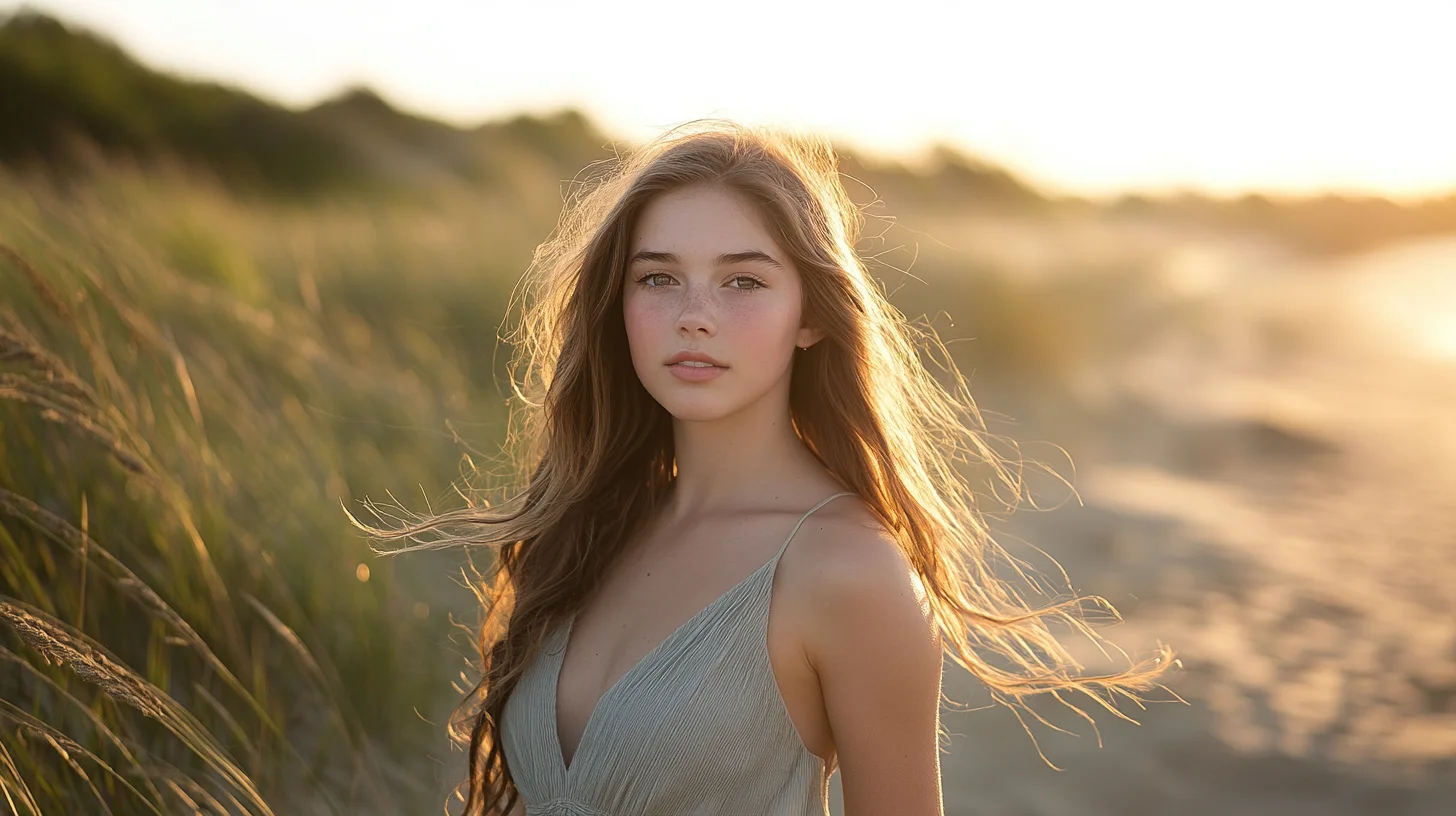
Photography basics for beginners come down to five fundamentals — exposure (aperture, shutter, ISO), natural light direction, composition, focal length, and white balance. Master these and your portraits improve more than any new camera body or lens will deliver. This pillar guide pulls together every fundamentals topic taught on this site into one unified entry point — beginner-friendly, photographer-tested, grounded in real South Shore portrait sessions.
South Shore Photography, based in Rockland, MA, serves portrait clients across Hingham, Scituate, Duxbury, Norwell, Marshfield, Cohasset, Hanover, Weymouth, and Plymouth. Photographer Chris McCarthy has spent years teaching clients and aspiring photographers the fundamentals that actually move the needle — this guide is the unified entry point to the entire Photography Education series, pulling together five deep-dive posts into one complete resource.
Most beginner photography content is fragmented. You find a YouTube video on aperture, a blog post about noise, a forum thread about RAW files — and none of it explains how those topics connect to each other or which one you should tackle first. I've watched that confusion play out in real time with clients who arrive at their first portrait session genuinely unsure which dial to turn. This guide fixes that. It pulls together five core fundamentals — the exposure triangle, ISO, sharpness, bokeh, and file formats — and shows you not just what each one does, but how they interact in a real session. By the end, you'll know exactly what to learn first, what to tackle next, and why each topic matters for the photographs you actually want to take.
Where to Start: The 5 Things That Actually Matter
The most reliable predictor of how quickly someone improves at photography is not the gear they buy — it's whether they focus their attention on the right things from the beginning. Most beginners spend an enormous amount of energy obsessing over cameras, lenses, and megapixels. Working photographers spend that same energy on light, settings intuition, and post-processing. The gear matters at the margins. The fundamentals matter at the core.
Here are the five topics this guide covers, in the order I recommend learning them: the exposure triangle (ISO, aperture, shutter speed — the foundation everything else rests on), ISO specifically (because grain is the complaint I hear most from frustrated beginners), image sharpness (because soft photos destroy otherwise good images), bokeh and background blur (because it's the look everyone wants and most people misunderstand how to achieve it), and RAW versus JPEG (because the file format decision shapes every edit you'll ever make). Learn them in that order and you'll have a complete foundation within four weeks of dedicated practice.
Foundation: Understanding the Exposure Triangle
Every photograph is a negotiation between three variables: ISO (how sensitive the sensor is to light), aperture (how wide the lens opening is, controlling both exposure and depth of field), and shutter speed (how long the sensor is exposed to light, controlling both exposure and motion blur). Together they form what photographers call the exposure triangle. Change one, and you have to compensate with at least one of the others to maintain the same overall exposure.
The tricky part is that each variable carries a side effect beyond just exposure. Aperture affects depth of field — a wide aperture (f/1.8) blurs the background; a narrow aperture (f/11) keeps everything sharp. Shutter speed affects motion — a fast shutter (1/1000s) freezes movement; a slow shutter (1/30s) introduces blur. ISO affects noise — a low ISO (100) produces clean images; a high ISO (6400) introduces grain. So every time you adjust one setting, you're not just managing brightness — you're managing at least two creative outcomes simultaneously.
I see this play out constantly during golden hour sessions at Duxbury Beach. A session might start at 6:45 PM with plenty of light — ISO 200, f/2.8, 1/400s. By 7:15 PM the light has dropped significantly. If I hold everything constant, the images go dark. So I climb ISO to 800, slow the shutter to 1/200s, and suddenly I'm back to a workable exposure — but now I have to think about whether the subject is moving enough to show blur at that shutter speed. By 7:30 PM, ISO is at 1600 and I'm making real decisions about trade-offs rather than just chasing a number.
I cover the full breakdown — including a settings cheat sheet and an honest answer to whether you should always shoot in manual mode — in my complete guide to the exposure triangle.
Camera Settings: ISO and How to Avoid Grainy Photos
ISO controls how sensitive your camera's sensor is to incoming light. At low ISOs — 100, 200 — the sensor records light conservatively, producing clean, detailed images. At high ISOs — 3200, 6400, 12800 — the sensor amplifies the available signal to compensate for low light, and that amplification introduces noise: the digital grain that makes photos look muddy, textured, and degraded in the shadows.
Here's the thing most beginners don't realize: most grainy photos are not actually an ISO problem — they're an underexposure problem. When a photo is underexposed and you try to brighten it in editing, you amplify the noise that was already hiding in the shadows. You get the same result as shooting at a very high ISO, but with less control over the outcome. The fix is often not to lower your ISO — it's to expose correctly in the first place, which sometimes means raising your ISO rather than underexposing to preserve it.
Modern cameras handle high ISO far better than cameras from a decade ago. I routinely shoot family beach sessions at Nantasket at ISO 3200 and the images are completely usable. During a recent late-summer session on Nantasket Beach, as the light faded around 7:45 PM, my ISO climbed from 200 at the start of the session to 3200 by the final frames — and the image quality held throughout because I kept the exposure correct rather than protecting an artificially low ISO at the cost of underexposure.
I break down ISO settings for every common South Shore scenario — golden hour, twilight, indoor window light, action — in my guide to choosing the right ISO.
Image Quality: Why Photos End Up Soft or Blurry
Softness is one of the most discouraging problems a beginner photographer faces, because the image looks almost right — the exposure is fine, the composition is good — but something about it just feels wrong. Usually that something is focus or motion. There are eight distinct causes of soft photos, but for most beginners working on portraits, three account for the vast majority of the problem.
The first is missed focus. Autofocus systems are powerful but imperfect — in lower light, with fast-moving subjects, or when the camera locks onto the wrong element in the frame (the ear instead of the eye, the shoulder instead of the face), the result is a photo where the wrong thing is sharp. Learning to control your focus point selection, and understanding when to trust autofocus versus when to override it, eliminates this problem for most shooters.
The second is camera shake — blur caused not by the subject moving but by the camera itself moving during the exposure. A shutter speed that is too slow for handholding introduces this kind of blur. The general rule is that your shutter speed should be at least the reciprocal of your focal length (shooting at 85mm means no slower than 1/85s, rounded to 1/100s) — but with modern image stabilization and with portraits of stationary adults, you can often push slightly slower.
The third is subject motion — blur caused by the subject moving during the exposure. This is the most common problem when photographing kids, and it is solved exclusively with shutter speed. If a child is running through the conservation fields in Norwell and your shutter is at 1/100s, you will get motion blur regardless of how steady your hands are. The fix is to push shutter speed up to at least 1/400s or higher for running children.
I walk through all 8 causes — and the exact fix for each one — in my guide to fixing soft and blurry photos.
The Look: How to Get Blurry Backgrounds (Bokeh)
Background blur — bokeh — is one of the most recognizable hallmarks of professional portrait photography, and it is also one of the most misunderstood. Most beginners believe that a wide aperture (f/1.8, f/2.0) is the primary driver of bokeh. Aperture is a factor, but it is not the most important one. Subject-to-background distance is the single biggest variable in background blur, and it costs nothing.
Four factors control background blur, in order of real-world impact: how far the background is from your subject, how long your focal length is, how wide your aperture is, and how large your sensor is. The first two are free adjustments you can make mid-session. The second two require buying different equipment.
I demonstrated this recently during an engagement portrait session at World's End in Hingham. The couple was initially standing about six feet in front of a treeline. The background was recognizable but slightly soft. I asked them to walk forward about fifteen feet — same lens, same aperture, same settings — and the background bokeh shifted dramatically. The trees became smooth, creamy blobs of color rather than distinguishable shapes. That fifteen-foot repositioning did more for the look of those images than any lens upgrade could have.
Focal length works similarly. A 135mm lens at f/4 will produce more background blur than a 35mm lens at f/1.8, all else being equal, because the longer focal length compresses the scene and renders the background at larger magnification, which makes blur more visible. Most working portrait photographers reach for 85mm or longer precisely because of this effect — not just for flattering facial compression, but for the natural subject separation it creates.
I rank all four factors by real-world impact — and explain why distance beats aperture every time — in my guide to getting blurry backgrounds.
File Formats: RAW vs JPEG and Why It Matters
Every time your camera captures a photo, it has to decide what to store. A JPEG is a finished, processed image — the camera applies its own color rendering, noise reduction, and sharpening, then compresses the result into a relatively small file. What you see is what you get. A RAW file is the unprocessed sensor data: no in-camera processing, no compression, just the raw light values the sensor recorded. It requires dedicated software to open and edit, but it gives you significantly more control over the final result.
The practical advantage of RAW comes down to three things: highlight recovery (a blown-out sky in RAW often contains recoverable detail; in JPEG that data is gone), white balance freedom (RAW lets you change white balance after the fact without any quality penalty; JPEG bakes it in), and lossless re-editing (you can re-edit a RAW file a hundred times with no accumulated quality loss; JPEG degrades slightly each time you save it).
The tradeoff is size. RAW files run roughly 3 to 10 times larger than a comparable JPEG, depending on the camera and compression settings. A full day of shooting in RAW can easily fill 64GB of storage. You'll need a real editing workflow — Lightroom, Capture One, or similar — to process them, which adds both cost and time to every session.
My honest advice for beginners: shoot RAW only if you are genuinely willing to learn editing. RAW files shot by someone who doesn't edit them look worse than JPEGs — they're flat, dull, and unprocessed. If you are not yet doing post-processing, shoot JPEG and learn to expose correctly. Once you pick up Lightroom, switch to RAW and never look back.
I cover when each format genuinely makes sense, the storage math, and the editing software landscape in my guide to RAW vs JPEG.
How It All Connects: A Real Session Walkthrough
These five topics are not five separate skills. They are one interconnected system, and the clearest way I know to demonstrate that is to walk through a single session from start to finish. Here is a senior portrait session at Duxbury Beach, starting at sunset, showing how every fundamental feeds into every other one in real time.
We arrive at 6:45 PM with the sun still above the horizon. The light is warm and directional — ideal. I set aperture to f/2.8 for the bokeh look my client wants, shutter speed to 1/400s to eliminate any motion blur from the breeze and the subject's hair, and ISO to 200 because there is plenty of light to work with. The exposure triangle is balanced: enough light, motion frozen, background blurred. We shoot for about fifteen minutes in this phase and the images are clean and sharp.
By 7:10 PM, the sun has dropped behind the tree line and the light has cut by roughly two stops. I need to compensate. I cannot open the aperture further — I am already at f/2.8 and going wider would push my depth of field so thin that any slight movement would throw the eyes out of focus. I cannot slow the shutter below 1/200s without risking motion blur from the wind. So ISO climbs: from 200 to 800, then to 1600 as we push into the blue hour. The exposure stays correct because I am actively managing the triangle rather than hoping the camera figures it out.
The entire time, I am shooting RAW — because at 7:20 PM the sky behind my subject is a vivid gradient from deep blue to orange, and I know from experience that the camera will struggle to balance those tones in a single exposure. In Lightroom the next morning, I will pull the highlights down and push the shadows up in the RAW file to reveal detail the JPEG would have permanently discarded. The RAW file is the safety net that lets me expose for the subject rather than the sky, knowing I can recover both in post.
This is why these topics are not five separate lessons. Every setting decision I made during that session — aperture for bokeh, shutter for sharpness, ISO for exposure, RAW for edit flexibility — was informed by all five fundamentals simultaneously. Learn them in isolation, then practice connecting them, and you will start to feel the way experienced photographers feel: not like you are solving a puzzle under pressure, but like you are having a conversation with the light.
Natural Light Direction: The Single Biggest Variable
If you only learn one thing from this guide, learn how to read the direction of light. Every other technical setting we've covered — aperture, shutter speed, ISO, focal length, white balance — adjusts your camera to whatever light is in front of you. Light direction is the variable you control by where you stand, what time you shoot, and which way your subject faces. Get it right and average gear produces great portraits. Get it wrong and the most expensive camera in the world delivers mediocre ones.
On the South Shore, the highest-leverage light direction for portrait work is backlit golden hour — sun behind your subject during the 60-90 minutes before sunset. The light wraps around their head and shoulders, creating a warm rim effect; their face is illuminated by indirect light bouncing off the sky and the ground; and the background is bright but pleasantly hazy. This is why every senior portrait, every family beach session, every engagement session I book gets scheduled around sunset rather than midday. The reason is light direction, not just light quality.
The mistake beginners make is shooting their subjects facing the sun. The face gets washed out, the subject squints, harsh shadows fall under the eyes and nose. Turning the subject 180 degrees — so the sun is behind them — solves all three problems at once. If you remember nothing else from this guide, remember to put the sun behind your subject during golden hour.
For overcast and shaded sessions, light direction still matters — it's just less directional. Even on a cloudy day, the brightest part of the sky usually comes from one direction (the direction of the obscured sun). Facing your subject toward that brightest section of sky produces noticeably better catch-lights in their eyes than facing them away from it. Keep checking. The full natural light direction guide walks through every common scenario in depth.
Composition: The 5 Rules That Actually Move the Needle
Composition is the framework you use to arrange the elements in your frame. There are dozens of composition rules in photography books; in practice, five of them deliver the overwhelming majority of the improvement.
Rule of thirds. Mentally divide your frame into thirds horizontally and vertically. Place your subject at one of the four intersection points rather than dead center. This is the single most-used composition principle in portrait photography, and it works because human eyes naturally rest on those intersection points rather than the geometric center of the frame. Most modern cameras have a rule-of-thirds grid overlay you can turn on — turn it on.
Leading lines. A line in the frame — a path, a fence, a shoreline, a wooden bridge railing — that leads the viewer's eye toward the subject. The Powder Point Bridge crossing at Duxbury Beach is a textbook leading line; the carriage paths at World's End in Hingham are another. When you scout a location, look for natural lines that point at where you'll place your subject.
Negative space. The empty area around your subject. Beginners tend to fill the entire frame, treating the subject as the whole image. Strong portrait composition often does the opposite — places the subject small in a frame dominated by sky, water, or open sand. The sense of scale this creates is what makes coastal portraits feel cinematic rather than crowded.
Framing within the frame. Using a foreground element — tree branches, a doorway, a window frame, dune grass at the bottom of your shot — to create a natural border around your subject. This adds depth and directs attention without requiring elaborate setup.
Leave headroom appropriately. Tight portraits crop just above the eyebrows or just below them. Loose portraits leave intentional sky or environment above the head. The mistake to avoid is leaving an awkward amount of head-space — neither tight nor clearly intentional. Decide which one you're going for. The composition fundamentals deep-dive covers each of these with example images.
Focal Length: How Lens Choice Changes the Story
Focal length — the mm value on your lens — does much more than just zoom in. It changes the relationship between your subject and the background in ways that fundamentally alter how the portrait reads. Three focal length ranges matter most for portraits.
35mm and wider: environmental portraits. The subject is in their context — a wide beach, a kitchen, a downtown sidewalk — and the location is part of the image. Wide focal lengths can also distort facial features if you shoot too close, so for portraits at 35mm or wider, position yourself at least eight feet from the subject.
50mm: the closest focal length to how the human eye sees. Natural-looking portraits, comfortable working distance, generally flattering. The 50mm is the most-recommended starting prime lens for new photographers for exactly this reason — it teaches you to compose without zoom and produces consistently flattering portraits.
85mm and longer: compressed portraits. The background appears closer and larger relative to the subject; facial features are subtly flattened in a flattering way; the working distance is greater (which helps subjects relax). Most professional headshots are shot at 85mm or 105mm for these compression effects. The focal length basics guide walks through specific lens recommendations by session type.
White Balance: Why Color Sometimes Goes Wrong
White balance is the camera setting that tells your sensor what color the light actually is. Mid-day daylight is roughly 5500 Kelvin (neutral); golden hour is warmer (3500-4500K); overcast and shade is cooler (6500-8000K); incandescent indoor light is very warm (2700-3000K); fluorescent is greenish. If your white balance is set wrong, skin tones shift orange, blue, or green — none of which look right.
Modern cameras handle white balance well in Auto mode for most situations. The exceptions are mixed-light scenarios (golden hour combined with shaded subject; window light combined with overhead fluorescent; campfire portraits at dusk) where you'll get better results setting white balance manually. Shooting in RAW format also gives you the ability to fix white balance in post-processing without losing image quality. The white balance and color temperature guide covers manual settings by lighting scenario.
What to Practice First (My Recommended Order)
Reading about photography fundamentals is useful. Practicing them with intention is transformative. Here is a four-week sequence that will build genuine understanding faster than any other approach I know.
Week 1: Isolate each variable. Pick one subject — a coffee mug, a plant, a friend sitting still in consistent light — and shoot it at three different apertures, three different shutter speeds, and three different ISOs. Do not change multiple settings at once. The goal is to see, visually and in isolation, what each dial actually does. This is tedious but it is the fastest way to build physical intuition for the controls.
Week 2: Aperture Priority for everything. Put the camera in Aperture Priority (A or Av mode), pick your aperture deliberately for each shot, and let the camera handle shutter speed and ISO. Your job this week is to notice when the camera gets it wrong — when it underexposes because the scene fooled the meter, or when it chooses a shutter too slow for the movement in the frame. Noticing the camera's failures teaches you more than letting it succeed.
Week 3: Full Manual in stable light. Pick a midday outdoor location or an overcast day — light that does not change quickly — and shoot entirely in Manual mode. Practice balancing all three variables yourself to hit a correct exposure. Start by metering with the camera's histogram rather than the screen preview. This is the week that feels hardest and produces the biggest jump in understanding.
Week 4: Add RAW and Lightroom. Switch your camera to RAW, download a free trial of Lightroom, and re-edit the best ten images from your first three weeks. See what the RAW files give you that your earlier JPEGs did not. Notice where highlight recovery changes an image and where it does not. This week is about connecting the shooting fundamentals to the editing workflow that unlocks their full value.
This four-week sequence is what I wish someone had given me as a beginner. It builds understanding from the ground up, in the right order, with intentional practice at each stage rather than passive reading. By the end of week four, you will have more working knowledge of photography fundamentals than most people accumulate in a year of casual shooting.
Frequently Asked Questions
Where should a complete beginner start with photography?
Start with the exposure triangle — ISO, aperture, and shutter speed. Every other photography concept depends on understanding this relationship first. Once that clicks, learning about file formats, sharpness, and bokeh becomes much faster because they all connect back to those three core settings.
Do I need an expensive camera to learn photography?
No. Any camera with manual mode controls — including most modern smartphones — is enough to learn the fundamentals. The exposure triangle, focus mechanics, and composition principles work identically on a $400 used DSLR and a $5,000 mirrorless. Buy gear after you understand which limitation actually matters for your work, not before.
How long does it take to learn the basics of photography?
You can grasp the exposure triangle in an afternoon and feel comfortable with manual settings within two to three weeks of regular practice. Building real intuition for light, composition, and color takes years — but you do not need to wait years before producing photos you are proud of. The fundamentals get you most of the way there in a month or two.
What is the most common mistake beginners make?
Worrying about gear instead of light. The same camera at golden hour at Duxbury Beach produces far better images than the most expensive camera in midday harsh sun. Light is the primary variable in photography. Once you internalize that, every other technical decision becomes easier.
Should I learn on a phone or a real camera?
Either works. Modern phones teach composition, light awareness, and timing — the foundational skills. A real camera adds creative control over depth of field, low-light performance, and image quality flexibility. If you only have a phone, start there. The photographer matters more than the camera.
PRO TIP
“The fastest way to learn photography is to take 100 photos of the same subject in different lighting at different settings. You will learn more in two hours of deliberate practice than in a month of passive reading. The fundamentals get burned into your hands, not your head.”
Ready to See What a Pro Setup Can Do for Your Portraits?
Every session at South Shore Photography is shot with the kind of professional gear and technique these guides break down — applied to make you look your best across the South Shore of Massachusetts.

ABOUT THE AUTHOR
Chris has taught the fundamentals of natural-light portrait photography to clients, junior photographers, and aspiring hobbyists on the South Shore since 2014. Chris McCarthy is a portrait photographer based in Rockland, MA who has been photographing the South Shore full-time since opening his studio in 2014 — more than a decade of outdoor and lifestyle portrait work across the region. He specializes in headshots, senior portraits, branding, family, and maternity photography — shooting at his studio at 83 E Water Street and on-location throughout southeastern Massachusetts at places like World's End, Scituate Harbor, Duxbury Beach, and the North River conservation land in Norwell.
All Photography-Basics Spokes
BEGINNER GUIDE
The Exposure Triangle Explained
ISO, aperture, and shutter speed in detail — the foundation under everything else.
CAMERA SETTINGS
What ISO Should I Use?
When to push higher and when to keep it low — practical thresholds for portraits.
APERTURE
How to Get Blurry-Background Bokeh
Distance, focal length, and aperture — the three levers that produce smooth background blur.
TROUBLESHOOTING
Why Aren't My Photos Sharp?
Focus, shutter speed, and subject motion — diagnose the cause in 60 seconds.
FILE FORMATS
RAW vs JPEG: Which Should You Shoot?
A working photographer's honest take on when each format makes sense.
COMPOSITION
Composition Fundamentals for Portraits
Rule of thirds, leading lines, framing — composition that makes a portrait feel intentional.
LENS CHOICE
Focal Length Basics for Portraits
Why 85mm flatters faces and 35mm tells a wider story — choosing focal length per shot.
LIGHT DIRECTION
Natural Light Direction for Portraits
Front, side, back, top — how each direction shapes the face and what to choose when.
COLOR
White Balance & Color Temperature
Warm vs cool, golden hour vs blue hour, and how to keep skin tones honest in mixed light.
POSING
Basic Posing for Non-Models
How to direct everyday people so they look comfortable and natural — the language that works.
BACKGROUNDS
Finding Clean Backgrounds on the South Shore
Where to look — and what to avoid — when scouting clean portrait backgrounds locally.
CLIENT GUIDE
Common Beginner Photography Questions
The most-asked questions from first-time portrait clients on the South Shore.
Continue with a Subject-Specific Pillar
PACKAGES & PRICING
South Shore Senior Portrait Packages
Four all-inclusive tiers from $495 to $1,795 — every package includes a planning consult, a yearbook-ready crop, and full digital files.
PILLAR GUIDE
The Complete Guide to Family Portraits
Family portrait planning across the South Shore — every location, every season.
PORTRAIT SERVICES
All Portrait Services
Compare every session type — pricing, formats, ideal seasons, and how to choose.